Improved Multi-Monitor Support, Enhanced Editors & More
We are glad to announce the release of HelloApp Studio version 1.1.1, bringing a series of improvements designed to enhance productivity, streamline the design workflow, and deliver a smoother user experience. This update focuses on smarter editing tools, improved visuals, and expanded usability across multi-monitor environments.
Below is an overview of what’s new in this release.
What’s New in HelloApp Studio 1.1.1
1. Dramatically Improved Multi-Monitor Support
Version 1.1.1 introduces significant enhancements for multi-monitor setups, ensuring smoother window handling, more reliable positioning, and an overall more polished experience when working across several displays.
2. New Highlight Animation for the Dimmed Background
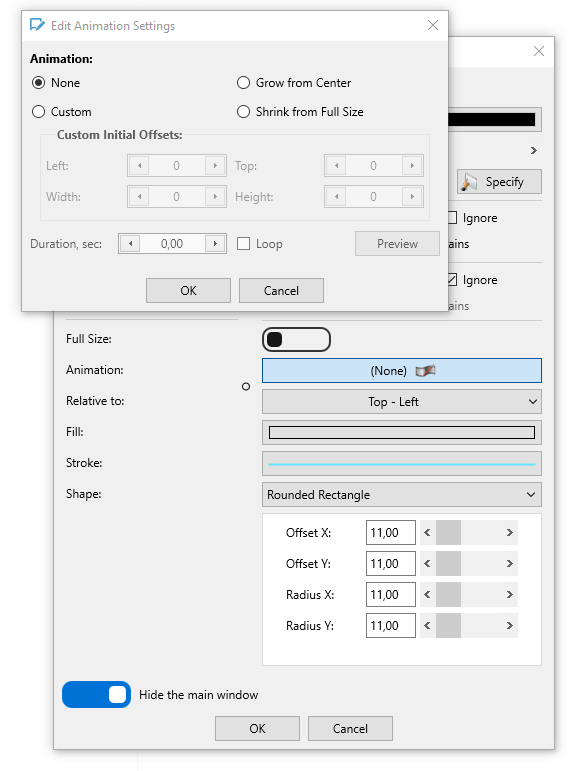
Edit animation settings for the highlight area
To improve visual clarity, the highlight area of the dimmed background now includes a subtle animation. This makes it easier to track focus areas and provides a more refined, modern look.
You can use some from the predefined animations or create a custom one.
Use Loop to create infinite animations.
3. Global Folder for Publishing Projects
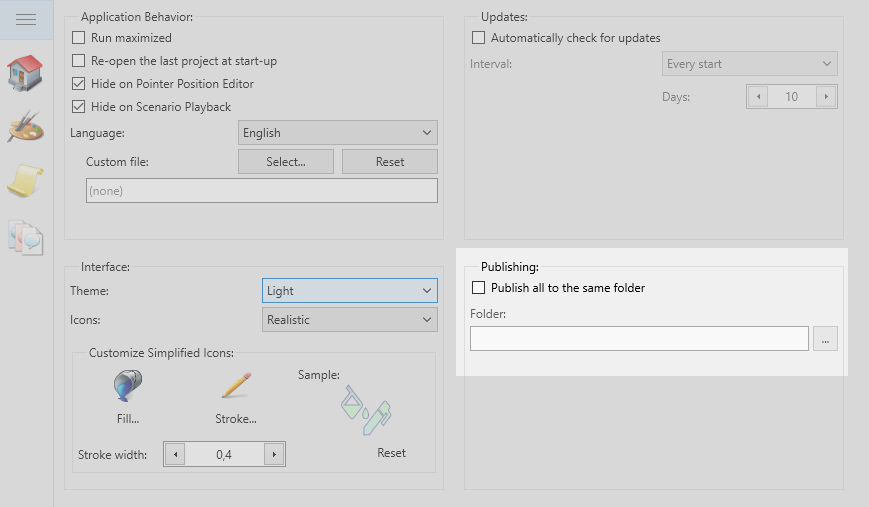
Publishing Options
You can now configure a global publish folder, enabling all projects to be published to the same central location. This streamlines project management and simplifies deployment workflows.
4. Copy & Paste Support in Color Dialogs
Color editing is now faster and more convenient with copy & paste actions added to the color dialogs. Quickly transfer color values between components without re-entering codes manually.
5. Drag-and-Drop Support in the Tooltip Editor
Tooltip management is easier than ever. You can now drag and drop tooltip controls to reposition them directly within the tooltip editor, making UI adjustments more intuitive.
6. Improved Properties Inspector
The Properties Inspector has been refined for better readability and usability, offering a smoother interaction when configuring component settings.
7. Enhanced Position Editor for Dimmed Background
The position editor for the dimmed background has been improved to give you more precise control and a more convenient editing experience.
8. Minor Changes and Fixes
This update also includes a series of smaller improvements and fixes to ensure a more stable and polished user experience throughout the application.
Upgrade Now
We encourage all users to downloadHelloApp Studio 1.1.1 to take advantage of these improvements. This release brings meaningful refinements that help you work more efficiently and create better user experiences with less effort.
Stay tuned for more updates — and thank you for your continued support!